

Zahlungseinstellungen
Crowdin nutzt den FastSpring-Dienst für die Zahlungsabwicklung. With the help of the FastSpring account management page, you can manage settings like your payment methods, your billing email, and other related information. You can also view your subscriptions, billing dates, and past invoices.
To update your billing information, follow these steps:
- Go to the FastSpring Account Management page.
- Gib zum Anmelden dieselbe E-Mail-Adresse an, die beim Kauf deines Crowdin-Abonnements verwendet wurde.
- Click Continue.
- Click Edit.
- Ändern Sie die Felder mit Ihren Zahlungsinformationen.
- Save changes.
As a result, the updated billing information will be applied to future payments.
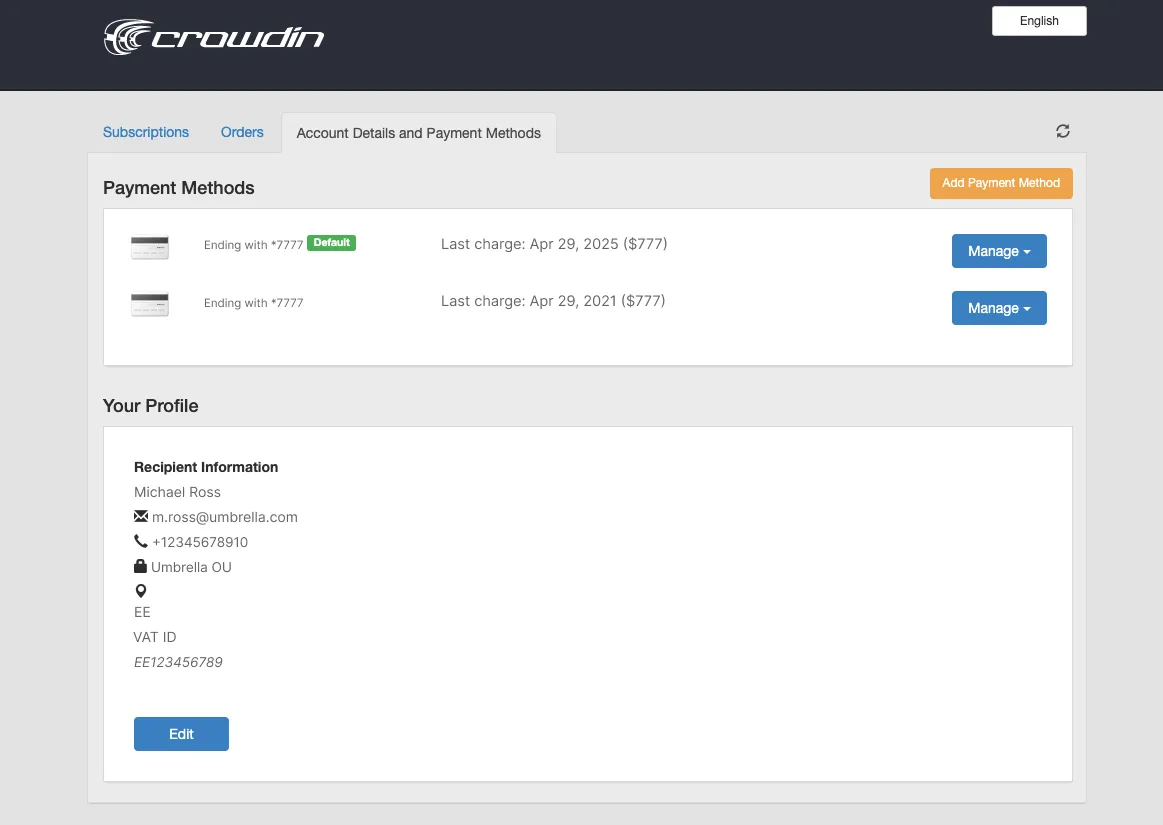
Du kannst die für dein Crowdin-Abonnement verwendete Zahlungsmethode ändern.
To update your payment method, follow these steps:
- Go to the FastSpring Account Management page.
- Gib zum Anmelden dieselbe E-Mail-Adresse an, die beim Kauf deines Crowdin-Abonnements verwendet wurde.
- Click Continue.
- Click Add Payment Method.
- Specify your new credit card details.
- Save changes.
Set your new payment method as default to make sure that it will be used for future charges.
Pricing pagePlans, Pricing, and Free Trial.
Payments and InvoicesLearn how payments work in Crowdin and how to download invoices.
Abonnementpaket ändernUpgrade or downgrade your subscription plan.
App SubscriptionsLearn how to subscribe to paid apps on the Crowdin Store.
Vielen Dank für dein Feedback!